n8n-tweet-workflow-guide
n8n Tweet Management Workflow with PostgreSQL - Setup Guide
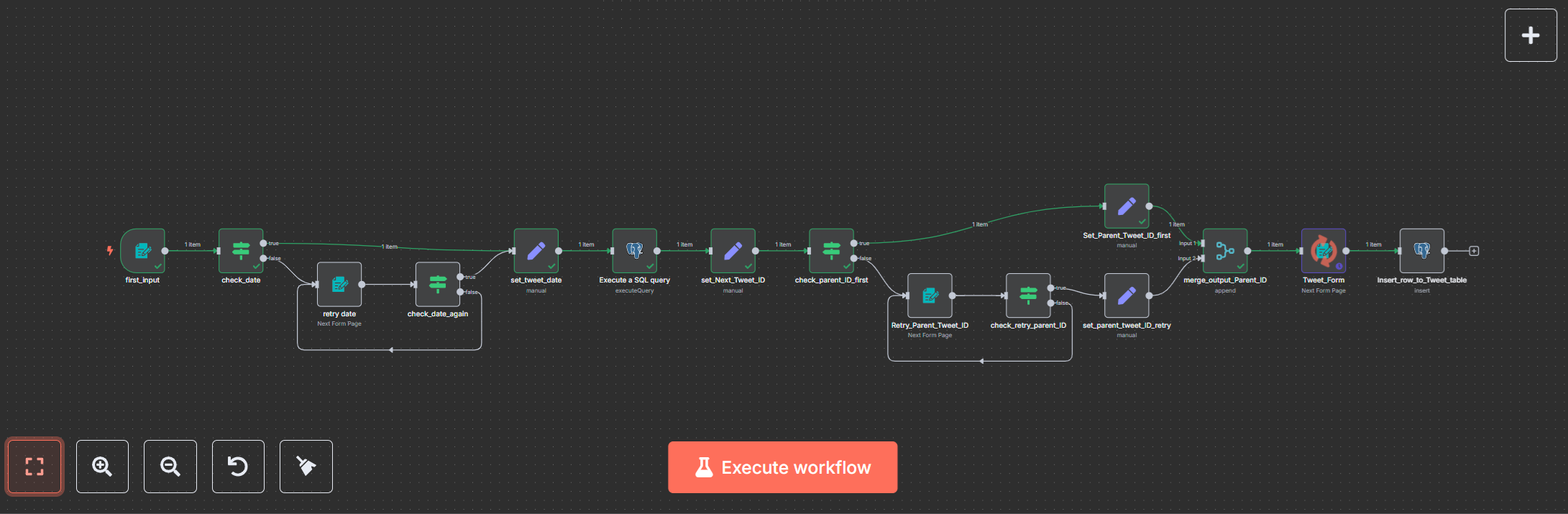
Full n8n workflow canvas.
Table of Contents
- Introduction
- Purpose and Features
- Requirements
- Installation
- Backup Process
- Usage
- Screenshots
- Troubleshooting
- Support and Community
Introduction
This detailed guide provides everything you need to set up and use the n8n Tweet Management Workflow with PostgreSQL, a robust automation tool for managing tweets. Designed for social media managers, developers, and automation enthusiasts, this workflow streamlines tweet scheduling and storage with intuitive forms and PostgreSQL integration. The guide covers standalone and containerized setups, an optional backup system, usage instructions, and troubleshooting tips to ensure a smooth experience.
Purpose and Features
The n8n Tweet Management Workflow with PostgreSQL offers:
- Form-Based Input: Enter tweets, dates, and parent tweet IDs via user-friendly web forms.
- Data Validation: Ensures dates are in YYYY-MM-DD format and parent tweet IDs are valid.
- PostgreSQL Storage: Saves tweets in a structured database for easy management and analysis.
- Automation: Simplifies tweet scheduling and organization for social media campaigns.
- Flexible Deployment: Supports standalone n8n or Docker, with optional backups for data protection.
- Backup System: Automatically backs up database and n8n data, retaining the latest two backups.
This workflow is ideal for automating repetitive tasks, maintaining data consistency, and creating a reliable tweet archive.
Requirements
- n8n: Version 1.0 or higher
- PostgreSQL: Version 12 or higher with a
tweets_tablecontaining:- Columns:
id(integer, primary key),tweet_date(date),parent_tweet_id(integer),text(text)
- Columns:
- System:
- For standalone: Node.js (v16 or higher), npm
- For containerized: Docker, Docker Compose
- Optional for Backup: Ubuntu image, backup script (included in Docker Compose section)
- Basic Knowledge: Familiarity with n8n workflows, PostgreSQL, and Docker (for containerized setup)
- Optional Tools: PostgreSQL client (e.g., pgAdmin, DBeaver) for database management
Installation
This section provides multiple installation options to accommodate your environment.
Option 1: Standalone n8n Installation
Ideal for users running n8n directly on their machine without containers.
- Install Node.js:
- Download and install Node.js (v16 or higher) from nodejs.org.
- Verify in a terminal:
node --version
npm --version
- Install n8n:
- Install globally:
npm install n8n -g - Start n8n:
n8n start - Access at
http://localhost:5678.
- Install globally:
- Set Up PostgreSQL:
- Install PostgreSQL from postgresql.org/download.
- Create a database (e.g.,
tweet_db):CREATE DATABASE tweet_db; - Create the
tweets_table:CREATE TABLE tweets_table ( id INTEGER PRIMARY KEY, tweet_date DATE, parent_tweet_id INTEGER, text TEXT ); - Note your database credentials for later.
Option 2: Containerized n8n Installation (Docker)
Uses Docker for a portable, isolated environment, suitable for production or testing.
- Install Docker:
- Download and install Docker from docker.com/get-started.
- Verify:
docker --version
- Run n8n and PostgreSQL:
- Create a
docker-compose.ymlfile:version: '3' services: n8n: image: n8nio/n8n:latest ports: - '5678:5678' volumes: - n8n_data:/home/node/.n8n environment: - N8N_HOST=localhost - N8N_PORT=5678 postgres: image: postgres:14 environment: - POSTGRES_DB=tweet_db - POSTGRES_USER=your_user - POSTGRES_PASSWORD=your_secure_password volumes: - postgres_data:/var/lib/postgresql/data ports: - '5432:5432' volumes: n8n_data: postgres_data: - Run:
docker-compose up -d - Access n8n at
http://localhost:5678.
- Create a
- Set Up PostgreSQL Table:
- Connect to PostgreSQL:
docker exec -it <postgres_container_name> psql -U your_user -d tweet_db - Create the
tweets_table:CREATE TABLE tweets_table ( id INTEGER PRIMARY KEY, tweet_date DATE, parent_tweet_id INTEGER, text TEXT );
- Connect to PostgreSQL:
Optional: Docker Compose with Backup
(Bonus)
This setup includes n8n, PostgreSQL, and a backup service for data protection. Replace placeholders with your values.
version: '3.8'
services:
  postgres:
    image: postgres:latest
    container_name: postgres
    restart: unless-stopped
    environment:
      POSTGRES_USER: your_user
      POSTGRES_PASSWORD: your_secure_password
      POSTGRES_DB: tweet_db
    ports:
      - '5432:5432'
    volumes:
      - postgres_data:/var/lib/postgresql/data
    networks:
      - n8n-network
  n8n:
    image: n8nio/n8n:latest
    container_name: n8n
    restart: unless-stopped
    environment:
      DB_TYPE: postgresdb
      DB_POSTGRESDB_HOST: postgres
      DB_POSTGRESDB_PORT: 5432
      DB_POSTGRESDB_DATABASE: tweet_db
      DB_POSTGRESDB_USER: your_user
      DB_POSTGRESDB_PASSWORD: your_secure_password
      N8N_HOST: localhost
      N8N_PORT: 5678
      WEBHOOK_URL: http://localhost:5678/
    ports:
      - '5678:5678'
    depends_on:
      - postgres
    volumes:
      - n8n_data:/home/node/.n8n
      - /path/to/your/desktop:/desktop
    networks:
      - n8n-network
  backup:
    image: ubuntu
    container_name: backup
    volumes:
      - postgres_data:/data/postgres
      - n8n_data:/data/n8n
      - /path/to/backup/folder:/backup
    entrypoint: /backup/backup.sh
    networks:
      - n8n-network
volumes:
  postgres_data:
  n8n_data:
networks:
  n8n-network:
Steps:
- Save as
docker-compose.yml. - Replace
/path/to/your/desktopwith a local folder for file access in the n8n container. - Replace
/path/to/backup/folderwith a local directory for backups. - Create a
backup.shscript in the backup folder: (Bonus)#!/bin/bash BACKUP_DIR="/backup" TIMESTAMP=$(date +%Y%m%d_%H%M%S) N8N_BACKUP_FILE="n8n_backup_$TIMESTAMP.tar" tar -cvf "$BACKUP_DIR/$N8N_BACKUP_FILE" /data/n8n POSTGRES_BACKUP_FILE="postgres_backup_$TIMESTAMP.tar" tar -cvf "$BACKUP_DIR/$POSTGRES_BACKUP_FILE" /data/postgres cd "$BACKUP_DIR" ls -1 n8n_backup_*.tar | sort -r | tail -n +3 | xargs -r rm -f ls -1 postgres_backup_*.tar | sort -r | tail -n +3 | xargs -r rm -f - Make executable:
chmod +x /path/to/backup/folder/backup.sh - Run:
docker-compose up -d - Check the backup folder for
.tarfiles.
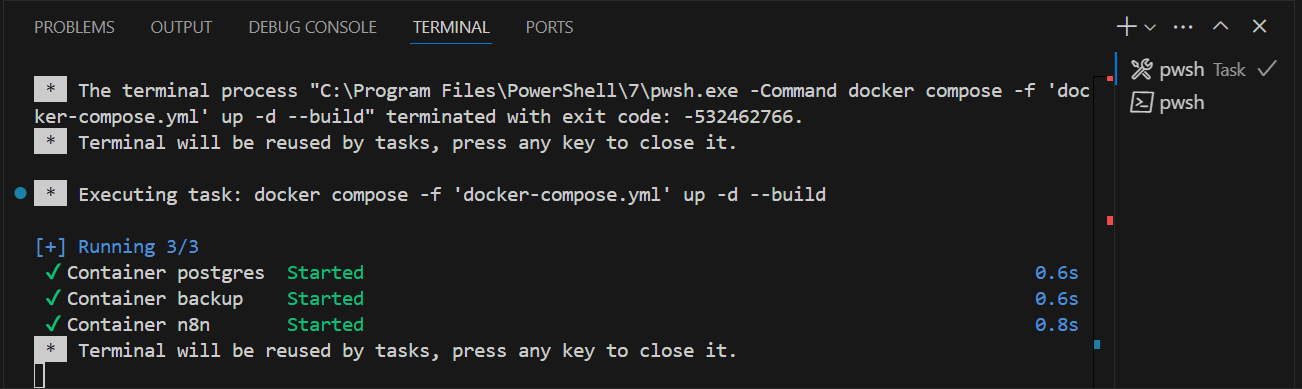
Screenshot: Docker Compose terminal showing n8n, PostgreSQL, and backup services running.
Importing the Workflow
- Open n8n at
http://localhost:5678. - Go to Workflows > Import from File.
- Select
workflow.jsonfrom your purchase package. - Save the workflow.
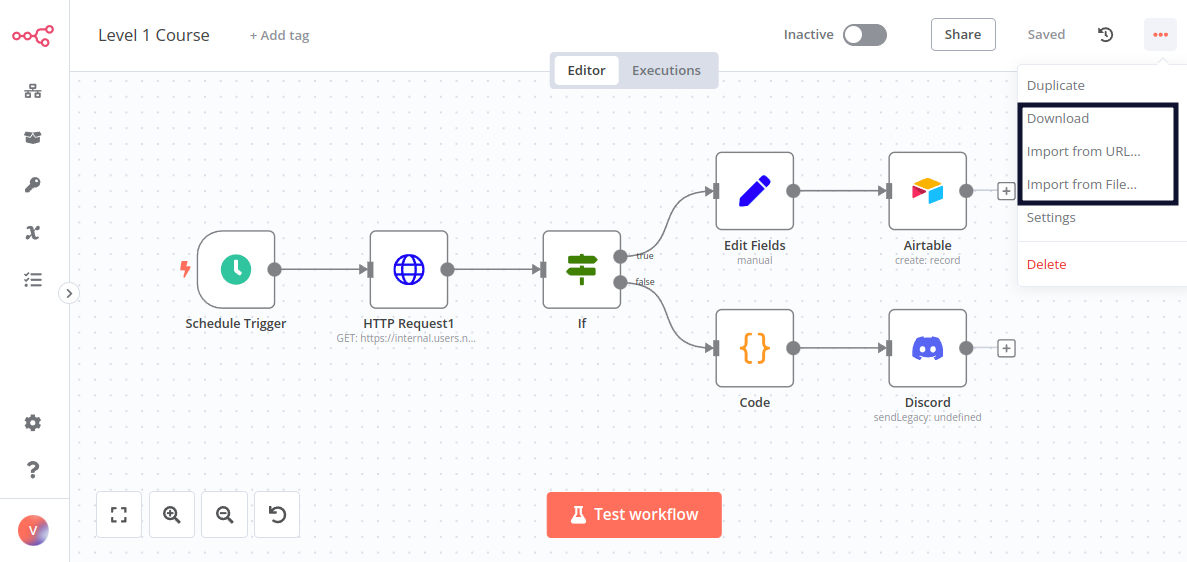
Screenshot: n8n import/export menu with workflow.json selected for import.
Configuring PostgreSQL Credentials
- In n8n, go to Credentials > Add Credential > PostgreSQL.
- Enter:
- Host:
postgres(Docker) orlocalhost(standalone) - Database:
tweet_db - User:
your_user - Password:
your_secure_password - Port:
5432
- Host:
- Save and assign to
Execute a SQL queryandInsert_row_to_Tweet_tablenodes.
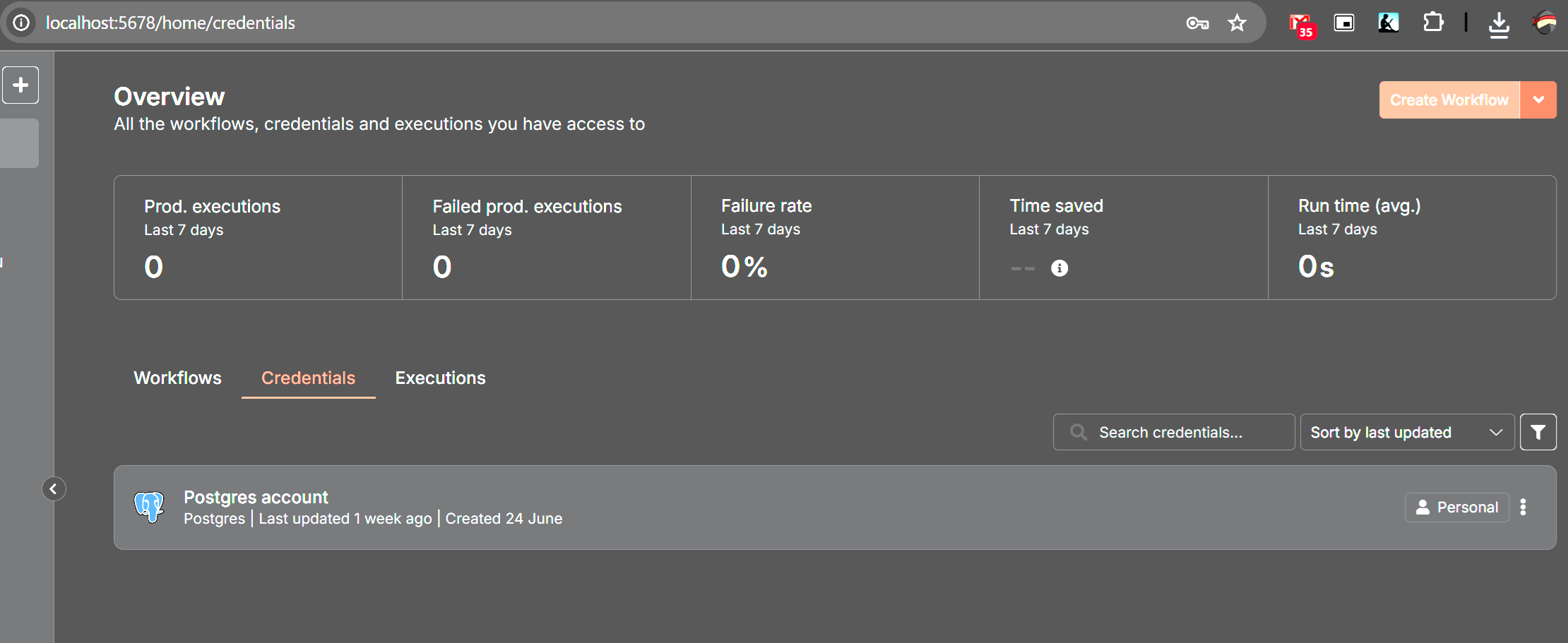
Screenshot: PostgreSQL credentials configured in n8n with correct host, database, user, password, and port.
Backup Process
The backup system ensures your data is safe and recoverable.
Why Backups Are Important
Backups protect against:
- Data Loss: Hardware failures or accidental deletions.
- Corruption: Database or workflow issues.
- Disaster Recovery: Quick restoration after crashes or migrations.
How the Backup Service Works
The backup service uses an Ubuntu container to:
- Back Up n8n Data:
- Archives the
/data/n8ndirectory (workflows, credentials) to a.tarfile (e.g.,n8n_backup_20250708_152700.tar).
- Archives the
- Back Up PostgreSQL Data:
- Archives the
/data/postgresdirectory (database files) to a.tarfile (e.g.,postgres_backup_20250708_152700.tar).
- Archives the
- Retention Policy:
- Keeps only the latest two backups for each, deleting older files to save space.
- Execution:
- Runs once at container startup, creating one backup set.
- To schedule recurring backups, modify
backup.shto add a loop (e.g.,while true; do ...; sleep 86400; donefor daily).
Backups are stored in the folder mapped to /path/to/backup/folder. Monitor storage to avoid disk issues.
Restoring from Backups
To restore:
- Stop Services:
docker-compose down - Restore PostgreSQL:
- Extract the backup:
tar -xvf /path/to/backup/folder/postgres_backup_20250708_152700.tar -C /tmp/postgres_restore - Copy to the PostgreSQL volume:
docker cp /tmp/postgres_restore/. <postgres_container_name>:/var/lib/postgresql/data
- Extract the backup:
- Restore n8n Data:
- Extract:
tar -xvf /path/to/backup/folder/n8n_backup_20250708_152700.tar -C /tmp/n8n_restore - Copy:
docker cp /tmp/n8n_restore/. <n8n_container_name>:/home/node/.n8n
- Extract:
- Restart Services:
docker-compose up -d - Verify data in n8n and PostgreSQL.
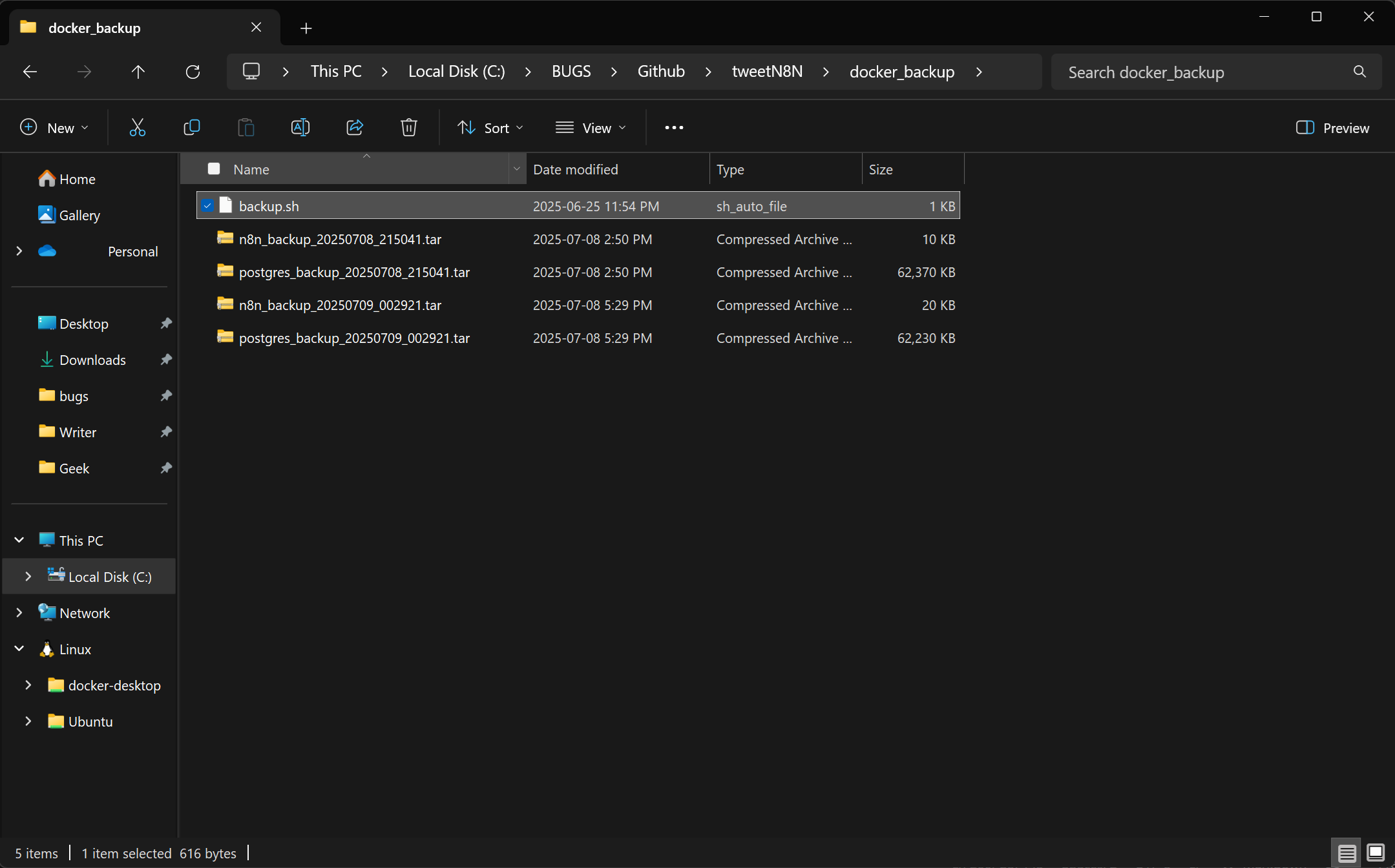
This screenshot shows the backup folder with .tar files, confirming successful creation of n8n and PostgreSQL backups.
Usage
Form Inputs Explained
- Date (
first_input,retry date):- Format: YYYY-MM-DD (e.g.,
2025-07-08) - Default: Blank for today’s date
- Validates format, prompts retry if invalid
- Format: YYYY-MM-DD (e.g.,
- Parent Tweet Index (
first_input,Retry_Parent_Tweet_ID):- Number (e.g.,
1for reply to tweet ID 1) 0for standalone tweet- Validates ID exists or is
0
- Number (e.g.,
- Tweet (
Tweet_Form):- Required text (up to 280 characters)
- Stored with validated date and parent ID
Running the Workflow
- Open the workflow in n8n and activate it.
- Copy the
first_inputnode’s webhook URL. - Paste in a browser to access the form.
- Submit valid data; verify in
tweets_table:SELECT * FROM tweets_table ORDER BY id DESC LIMIT 1;
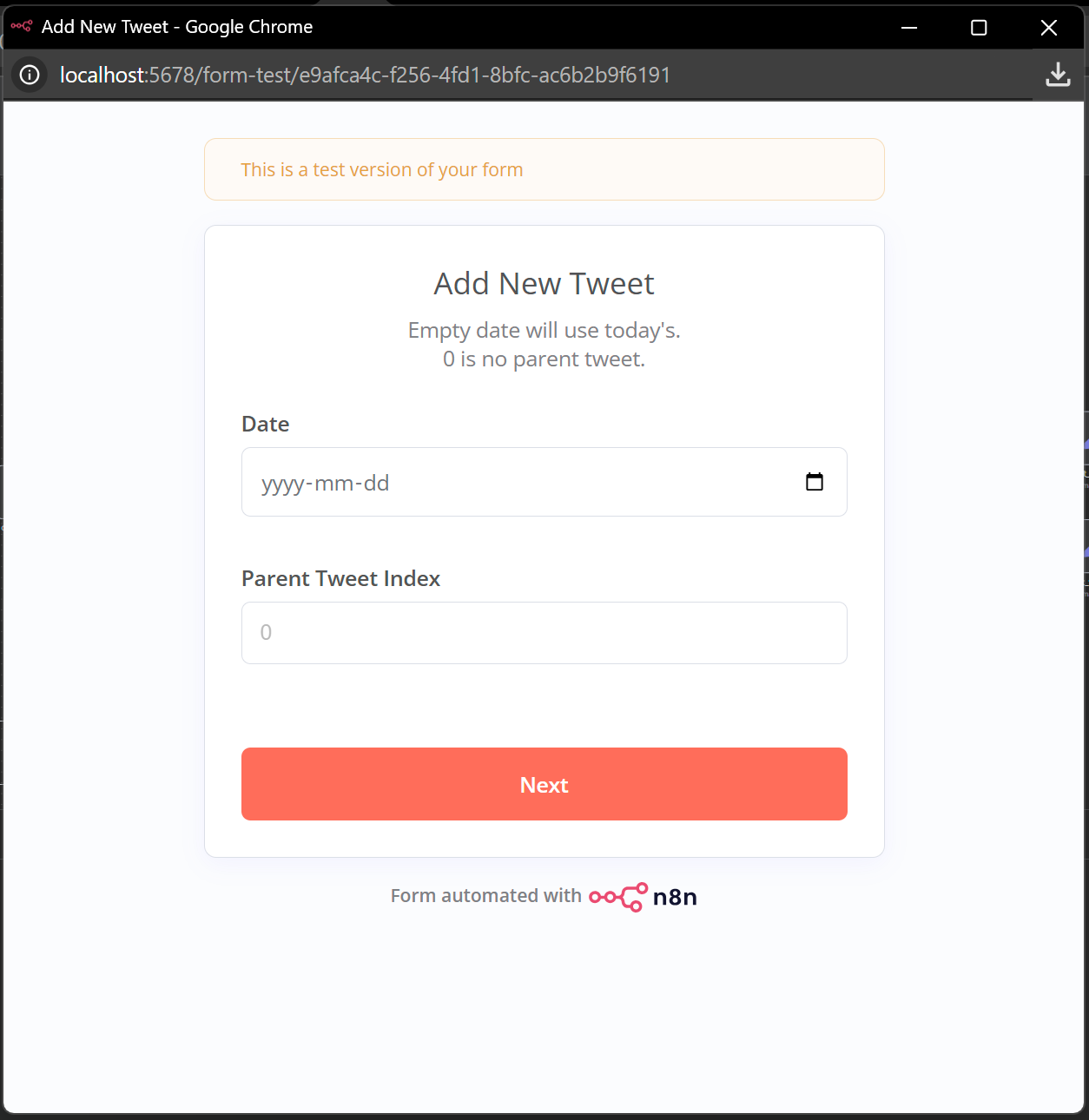
This screenshot shows the first_input form in a browser, confirming the fields for entering date and parent tweet index.
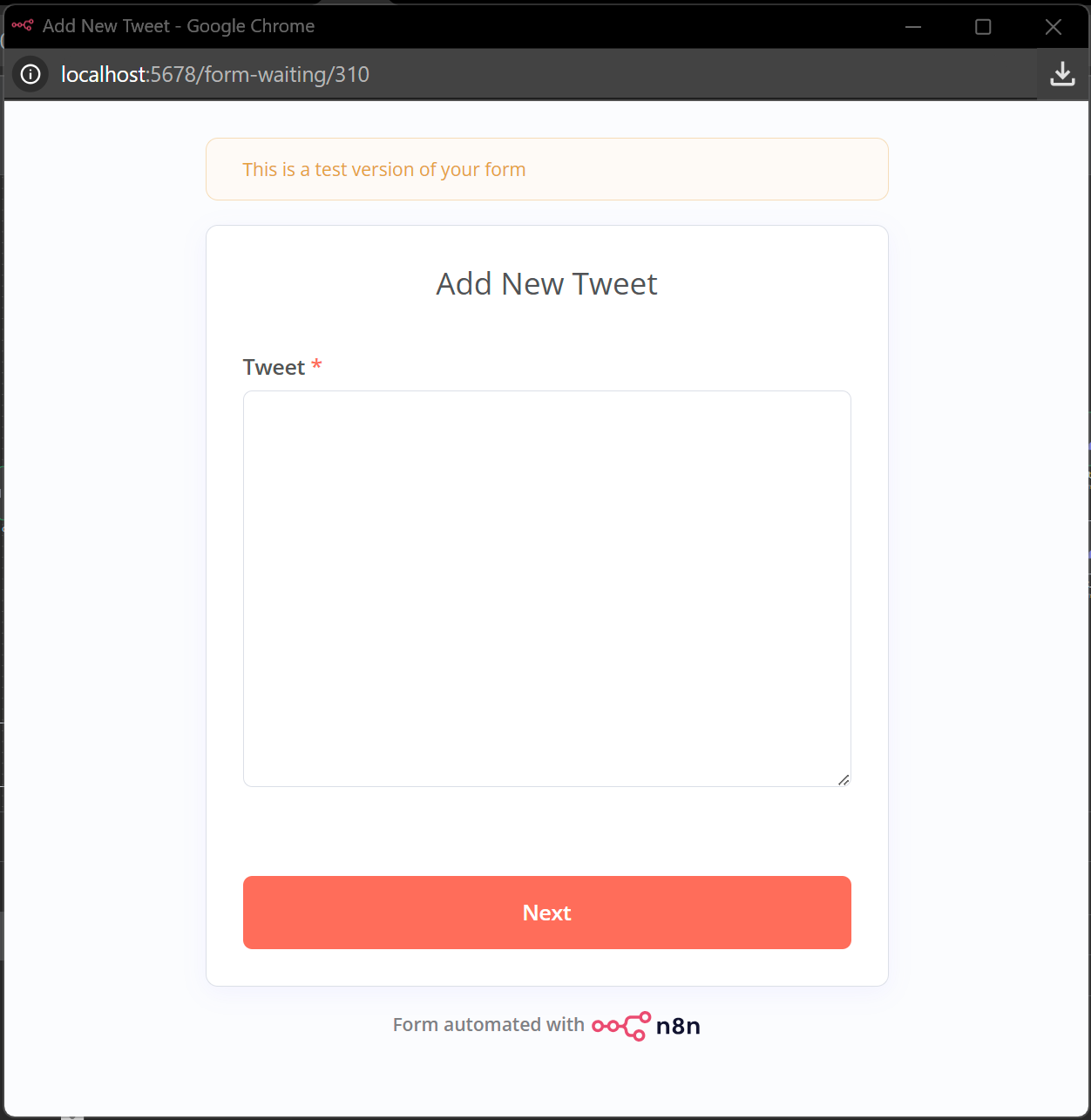
Screenshot of the Tweet Form in a browser. Submitting saves the tweet to the database.
Screenshots
- Workflow Overview:
Full n8n workflow canvas. - Form UI:
first_inputform in browser. - PostgreSQL Table:
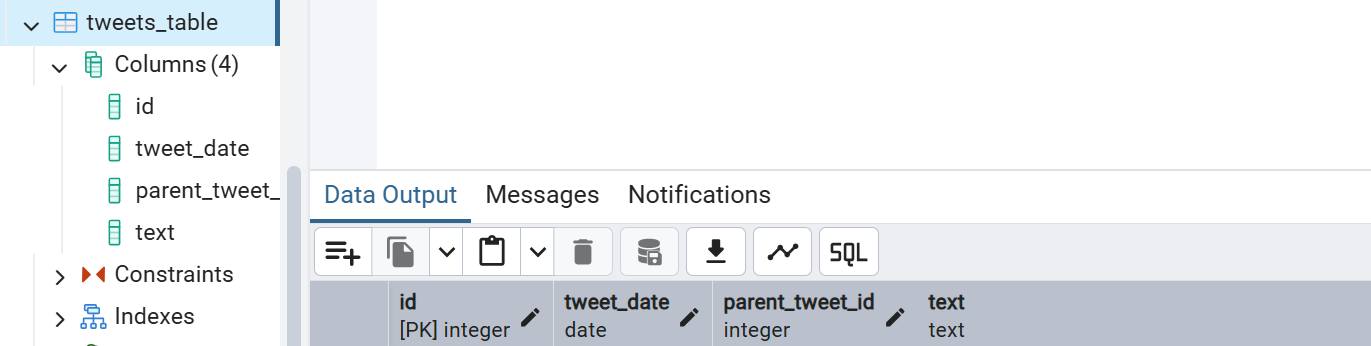
tweets_tablein pgAdmin/psql. - Docker Setup:
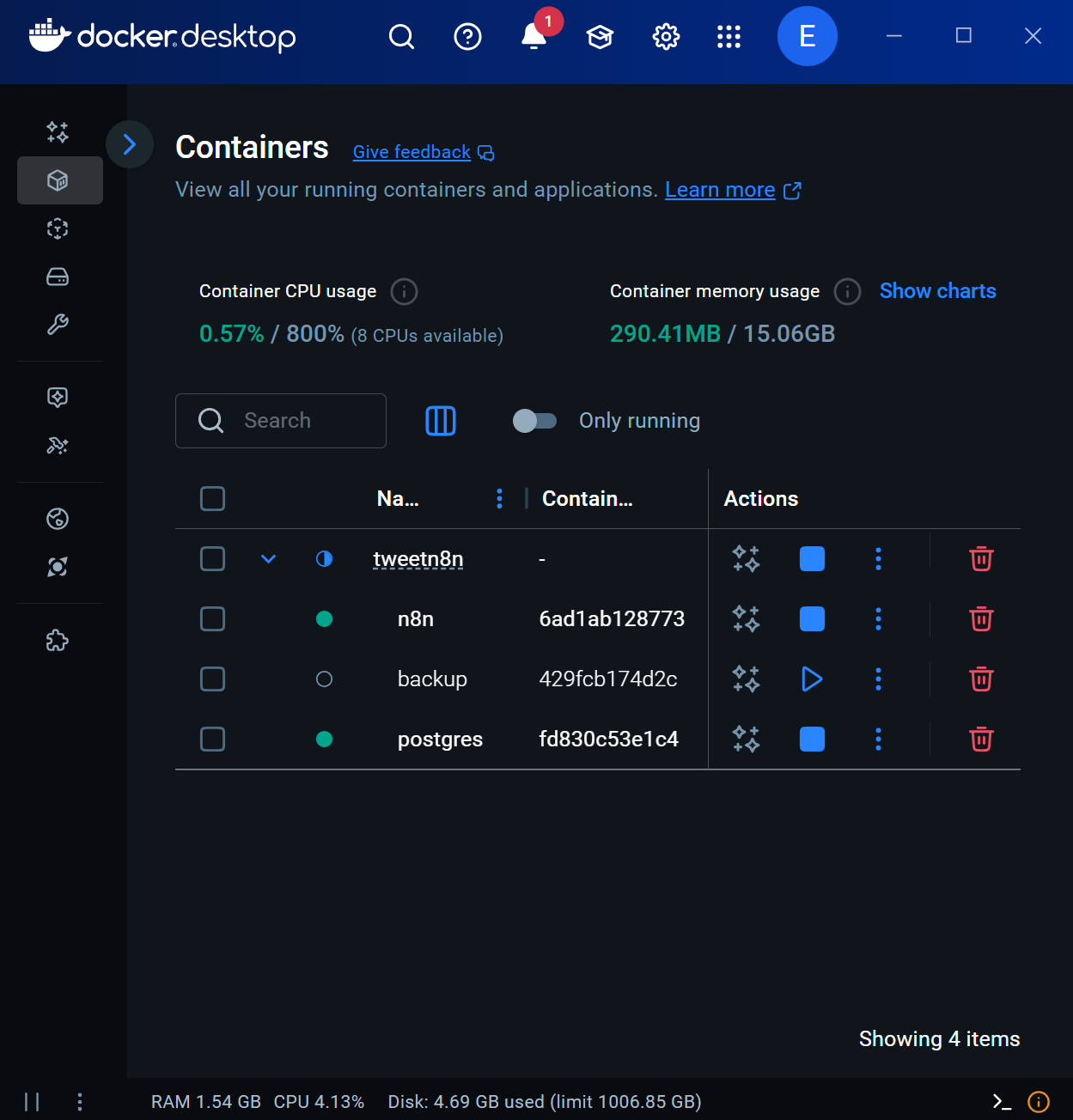
Docker Compose in terminal/Docker Desktop. - Backup Files:
Backup folder with.tarfiles. - Bonus Workflow-Bulk Entry:
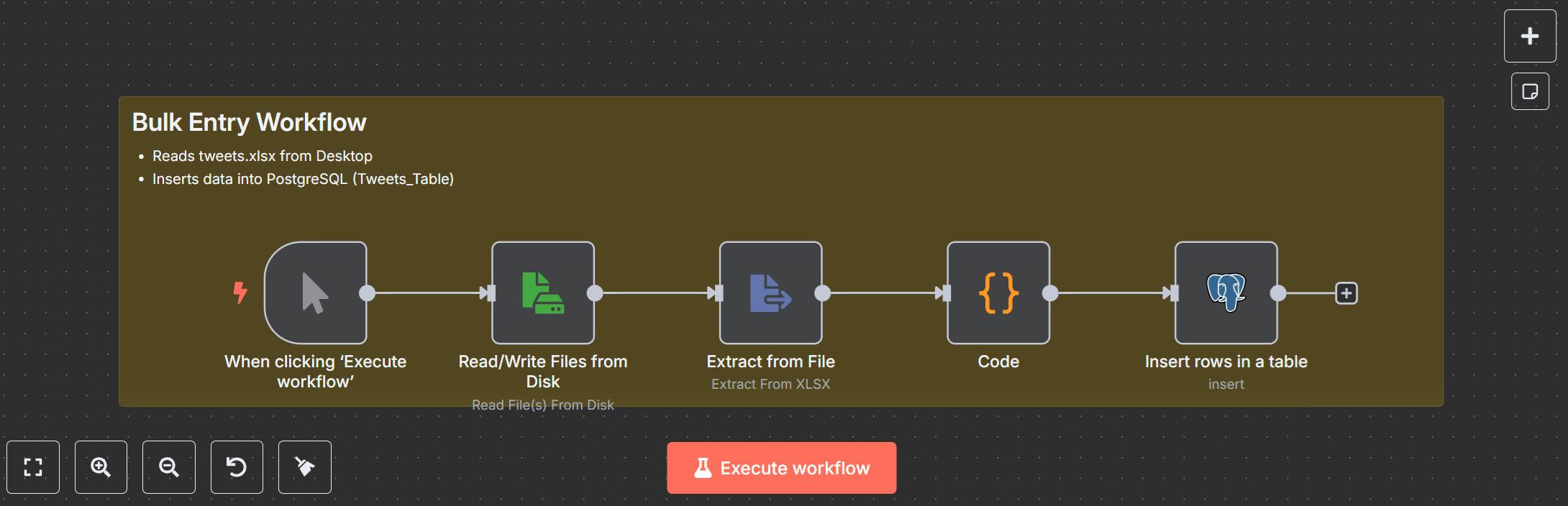
If you need it I can give you FREE Bulk Entry Workflow, let us know!
Troubleshooting
- Workflow Import Fails: Use n8n 1.0+, re-download
workflow.json. - PostgreSQL Errors: Verify host, user, password, port; check service status.
- Form Issues: Use correct date format, valid parent IDs.
- Backup Fails: Ensure
backup.shis executable, folder is writable.
Support and Community
- Community: community.n8n.io.
- Docs: docs.n8n.io, postgresql.org/docs.
- Core Workflow: gumroad.com.